


Ask Question Forum:
Model Library:2025-02-08 Updated:A.I. model is online for auto reply question page
C
O
M
P
U
T
E
R
2
8
Show
#
ASK
RECENT
←
- Underline
- Bold
- Italic
- Indent
- Step
- Bullet
- Quote
- Cut
- Copy
- Paste
- Table
- Spelling
- Find & Replace
- Undo
- Redo
- Link
- Attach
- Clear
- Code
Below area will not be traslated by Google,you can input code or other languages
Hint:If find spelling error, You need to correct it,1 by 1 or ignore it (code area won't be checked).
X-position of the mouse cursor
Y-position of the mouse cursor
Y-position of the mouse cursor
Testcursor
caretPos
Attachment:===
Asked by onepiolin
at 2024-08-03 16:23:58
 Modify
Point:500 Replies:7 POST_ID:828690USER_ID:11582
Topic:
Microsoft Excel Spreadsheet Software;;Microsoft Office Suite
I have toolbar item under Add-Ins that is giving me an error message. I looked in the Add-ins options and found nothing that shows anything out of the straight excel install.
Where would I look at to remove this Add-in? or fix this erro?
Where would I look at to remove this Add-in? or fix this erro?
Attachment:excel-capture.JPGexcel-capture1.JPG
Accepted Solution
Expert: Rory Archibald replied at 2024-08-05 01:33:35
500 points EXCELLENT
Based on the error message it looks like a toolbar that was created by a workbook. Try right-clicking one of the buttons and choosing 'Delete custom toolbar'.
Expert: andrewssd3 replied at 2024-08-04 13:59:12
Xite appears to be some sort of people management tool, which has obviously been on her machine at some time. As TMekeel suggested, there may be an uninstall option on the control panel, but you have checked that. You say you have loooked under Excel Options...Add-ins - have you also looked for COM add-ins? (see screenshot).
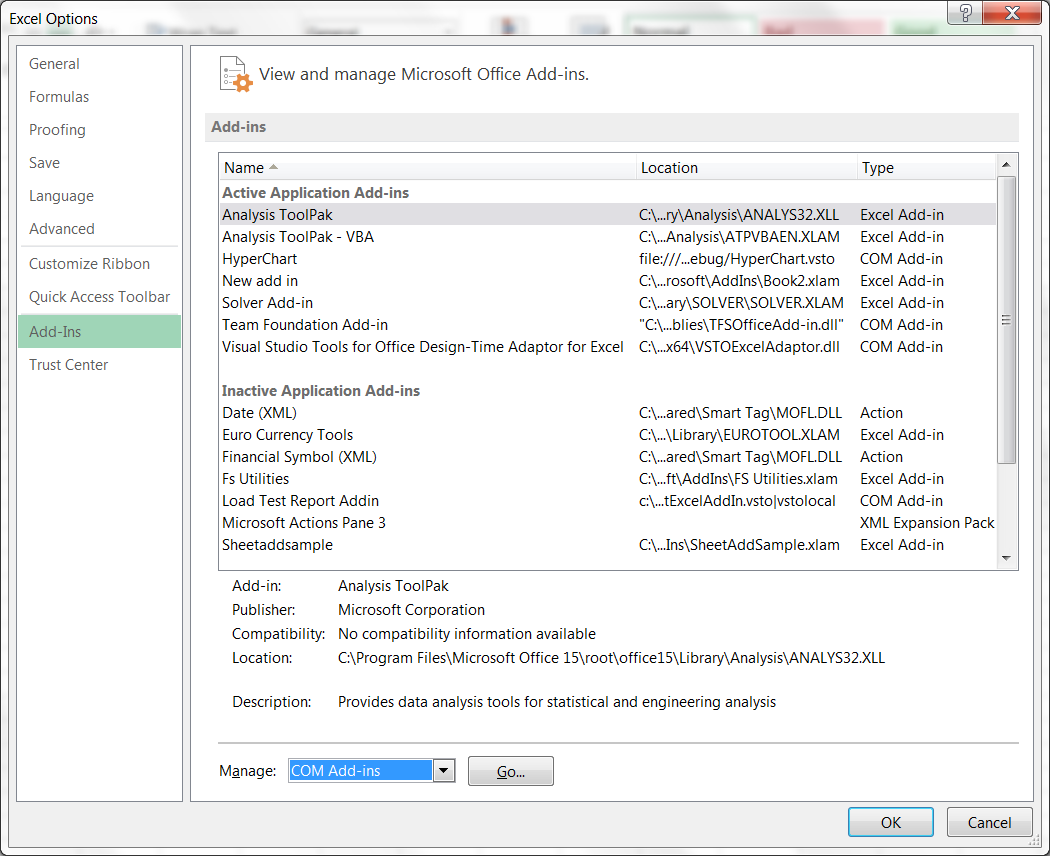
If it's not there it could possibly be a file in her XLSTART folder. Excel automatically opens any file in the <application data>MicrosoftExcel folder, so it could be there too. The application data folder location depends on your windows version, but you can normally find it by going to an Explorer window, and typing %APPDATA% in the address bar. Then find the subdirectory ...MicrosoftExcelXLSTART.
Expert: duncanb7 replied at 2024-08-03 21:00:28
go to computer folder and search XiteReport.xls in search box , if no file found, go to get the new one
if Yes, just the add-in location editing and make sure location is correct.
By the way why xls file can be add-in file ? , I though just vbs library file can be
if Yes, just the add-in location editing and make sure location is correct.
By the way why xls file can be add-in file ? , I though just vbs library file can be
Expert: TMekeel replied at 2024-08-03 18:31:22
It looks like this is a reporting tool from some program, but I cant seem to find any more info than that. What programs are installed on the machine that you do not recognize?
Expert: TMekeel replied at 2024-08-03 18:24:23
What if you choose logout on the toolbar?
Author: onepiolin replied at 2024-08-03 18:02:39
No. it's for another user. There's no uninstall option.
She doesn't know how it got there.
She doesn't know how it got there.
Expert: TMekeel replied at 2024-08-03 17:12:50
Did you install the toolbar?
Is it in add/remove programs? (uninstall program in control panel in Win7)?
Is it in add/remove programs? (uninstall program in control panel in Win7)?
